HTML, CSS & JavaScript
Chocolate Day 🍫
Sweet Chocolate Day page with chocolate rain, unwrap letter & love note.
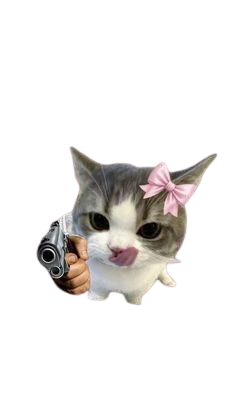
Create a fun interactive webpage that asks "Chal chikni photo bhej" with Yes/No buttons. The project flows through multiple screens with cute GIFs and playful messages — perfect for sending to friends or learning multi-screen interactions!
This "Chal Photo Bhej" project is a playful multi-screen interactive page. It starts with "Chal chikni photo bhej" and an image, with Yes/No buttons. Clicking "No" takes you through a funny flow ("Please cutie" → "Thike yaar" → "Bhej rhi ho?" → "Thanks ji" → final GIF).
The project uses plain HTML with inline CSS and JavaScript. It features a gradient background, smooth animations, and responsive design. All code is in a single index.html file.
Scroll down to get the complete HTML code. All CSS and JavaScript are included in a single file.
⬇️ Full code below
Copy this entire file into index.html. It includes HTML, CSS (in <style>), and JavaScript (in <script>).
Loading code...
Keep the assets in the same folder structure so all images load correctly:
pages/
├── assets/
│   └── chal photo bhej/
│       ├── index.html
│       ├── 1st.png      ← First screen image
│       ├── 2nd.gif
│       ├── 3rd.gif
│       ├── 4th.gif
│       └── 5th.gif
1st.png with your own photo1st.png with your own photoNo — it's a fun front-end-only joke page. Nothing is actually sent or stored anywhere.
Yes — every line of text is in the HTML, edit and reload.
Probably after a couple of clicks — that's the fun. Share and enjoy the reactions.